Why Claude Code uses so many tokens, and how to reduce Claude Code token usage
Claude Code tokens go on context it re-sends every turn, long sessions, cache misses and big file reads. How to check each cause and cut it.
 By Asif Syed, Founder of TokenNibbler
On this page
Short answer: Claude Code sends your whole context with every request: the system prompt, your CLAUDE.md, the skills listing, MCP tool names and the full conversation so far, including every file and command output Claude has read. Long sessions, a cold cache after a break and a larger model multiply that. Run /context and /usage to see which of these is yours, then clear between tasks, trim what loads every session, and match the model to the job.
If your Claude Code tokens seem to vanish faster than your work justifies, the cause is almost never one big request. It is the same context, sent again on every turn. This guide walks through each cause, how to check it with Claude Code’s own commands, and what to change.
On a Pro or Max plan, Claude and Claude Code share the same limits: Anthropic’s help centre says “all activity in both tools counts against the same limits”, with a five-hour session limit and a weekly limit. So every token Claude Code spends on context you didn’t need comes out of the same allowance as your chats.
What Claude Code sends on every turn
Each message you send is a new API request, and the model remembers nothing between requests. Anthropic’s prompt caching docs put it plainly: Claude Code “re-sends the full context: the system prompt, your project context, every prior message and tool result, and your new message.”
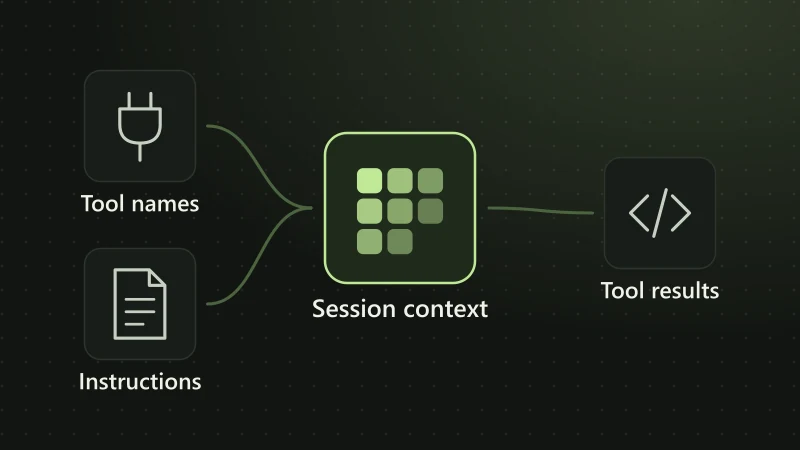
According to the context window docs, this loads before you type anything:
- The system prompt, with Claude Code’s core instructions and tool definitions.
- CLAUDE.md files: your user file and the project file (or AGENTS.md in their place).
- Auto memory: the first 200 lines or 25KB of Claude’s own notes.
- Skill descriptions: one entry per skill, so Claude knows what it can invoke.
- MCP tool names: by default only names and server instructions; full schemas load on demand through tool search.
Then, as Claude works, every file read, search result and command output joins the conversation and rides along on every later request.
Prompt caching makes the repeated part much cheaper: Claude Code re-reads it at the cached token rate. But cached is not free, and the costs page is clear that “a one-line question in a session that has been open all day still draws usage for the whole conversation.”
The six usual causes
1. Instruction files that load every session
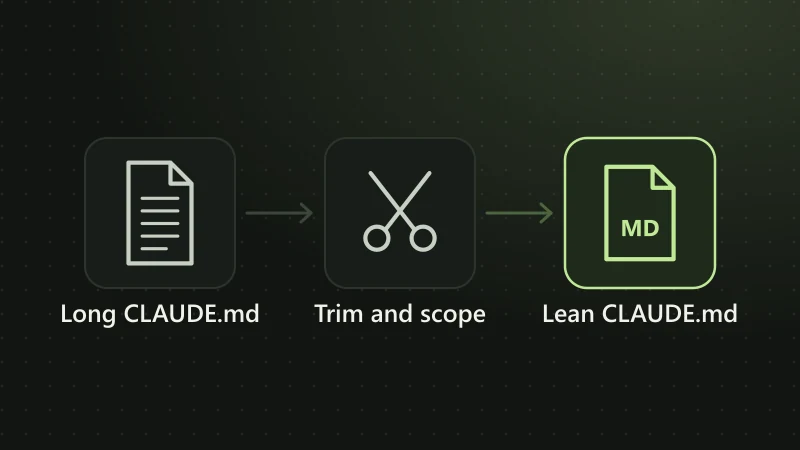
Your CLAUDE.md is loaded at session start and sent with every request. Anthropic recommends you “target under 200 lines per CLAUDE.md file”, noting that “longer files consume more context and reduce adherence” (memory docs). Splitting a long file with @ imports does not help, because “imported files also load at launch.”
2. Skills and MCP servers you don’t use
The skills docs say: “Every skill in the skill listing adds to your context on every turn, whether or not Claude ever uses it.” The full skill body loads only when the skill is used, which is the good part.
MCP servers are lighter than they used to be. Tool definitions are “deferred by default, so only tool names and server instructions enter context until Claude uses a specific tool” (costs page). Each connected server still adds its names and instructions to every session, and a tool’s output can be large: Claude Code warns when one MCP tool result passes 10,000 tokens and caps it at 25,000 tokens by default (MCP docs).
3. Long sessions
The longer a session runs, the bigger every request gets. Each turn carries the full history, and each tool call sends another request with that batch of results. When the context nears its limit, Claude Code compacts it into a summary. Compaction helps the turns that follow, but the /compact request “reads the conversation it summarizes, so compacting a large context is itself a large request” (costs page).
4. Coming back after a break
The cache expires after a period of inactivity. Per the costs page, the lifetime “is an hour on a subscription and drops to five minutes once you’re drawing on usage credits; on an API key or cloud provider, it’s five minutes by default.” Your first message after a longer break “misses the cache and reprocesses your full context.” On a big session, that one message can be expensive.
Some mid-session actions also reset the cache, including switching models and connecting or removing an MCP server when tools are loaded upfront (prompt caching docs).
5. Large files and command output, read again and again
The context window docs call it out directly: “File reads dominate context usage.” A large file that Claude reads several times in a session costs its full size each time it enters the conversation. Test runs and builds that print thousands of lines do the same. Anthropic’s help centre adds that “anything you paste sits in context, in full, for the rest of the session”, while referencing a file by path “lets Claude read selectively” (help centre).
6. A bigger model than the task needs
Larger models use your limits faster for the same work. Anthropic’s help centre says Opus “uses meaningfully more of your quota, so consider switching to Sonnet for routine work”, and that Haiku is the cheapest option (help centre). Subagents that inherit your session’s model inherit that cost too.
How to check each cause in Claude Code
Claude Code has good built-in tools for the session in front of you.
| Cause | Check it with | What to look for |
|---|---|---|
| Instruction files, skills, MCP | /context | A live breakdown by category, including which CLAUDE.md and memory files loaded |
| Skills, subagents, MCP servers | /usage (Pro, Max, Team, Enterprise) | The attribution breakdown: each one’s share of recent usage |
| Long context, cache misses | /usage | Behaviour flags, shown when one accounts for 10% or more of recent usage, plus the Prompt cache (main) line |
| Unused servers | /mcp | Configured servers you can disable |
| Model | /model | Which model the session is on |
The /usage breakdown is approximate and, in Anthropic’s words, “computed from local session history on this machine”, for the last 24 hours or 7 days (costs page). It is the right tool for “what is happening now”. It does not keep a long history or compare one project with another.
How to reduce Claude Code token usage
These are the fixes Anthropic recommends, matched to the causes above.
- Clear between unrelated tasks.
/clearstarts fresh, and “stale context wastes tokens on every subsequent message.” Use/renamefirst so you can/resumelater. - Compact at natural breaks. Run
/compactbetween tasks, optionally with a focus such as/compact focus on the auth bug fix, instead of waiting for auto-compaction mid-task. - Keep CLAUDE.md lean. Stay under about 200 lines. Move workflow-specific instructions into skills, which load only when used, or into path-scoped rules, which load only when Claude touches matching files. Our CLAUDE.md best practices guide covers this in detail.
- Switch off skills and servers you don’t use. Disable idle servers in
/mcp. Prefer CLI tools such asghwhere they exist, since they “don’t add any per-tool listing.” - Wrap up before a long break. If you step away for longer than the cache lifetime, finish the task or start a fresh session when you return.
- Be specific. “Add input validation to the login function in auth.ts” reads far fewer files than “improve this codebase.”
- Keep verbose work out of the main conversation. Delegate test runs and log digging to a subagent, so only a summary comes back. A hook can also filter output before Claude sees it, for example returning only failing test lines.
- Match the model to the job. Use Sonnet for routine work and save Opus for hard reasoning. You can also lower the effort level with
/effortfor simple tasks.
How TokenNibbler shows which cause is yours
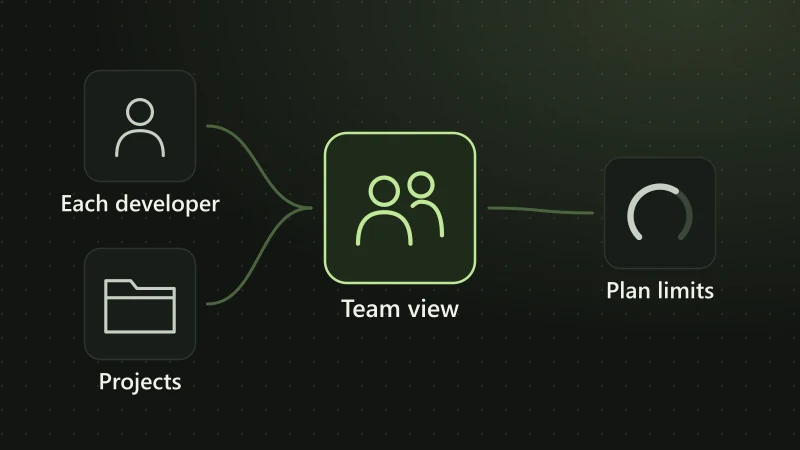
Claude Code’s commands show the current session. TokenNibbler, a desktop app for Windows 11 and Mac, reads the session files Claude Code and Codex already save on your computer and shows the pattern across all of them, project by project.
- Projects lists every project with its trends. Open one and the Where tokens go tab breaks it down: Loaded with every request (the instruction files each agent starts every request with, and their size in tokens), Breaks (how often a long session was resumed after its cache expired, and the tokens re-sent), Connections in this project, Tool output by kind, Files read most (with how many times each was read and how that compares with its size) and Shell commands by output.
- Drain Detector learns your usual pace from your last four full weeks, and starts once it has two. When a plan drains at least twice as fast as usual for the same amount of work, your plan card on the Overview says so and lists the Likely causes the data supports: an agent update in the last day, a larger model than usual, long sessions resumed after a break, an instruction file that grew, or a time of day that usually drains faster.
- Skills shows every Claude Code and Codex skill with the tokens it adds to every session and how often you use it. The Unused 30 days filter finds the ones you could switch off.
- Connections shows every MCP server and app with what it adds to Every Claude Code session, the Tool output its tools returned, and which ones are Loaded, never used.
- Recommendations: on a project, choose Analyse project and your own Claude Code or Codex reviews the numbers (usually 1–3 minutes). Each finding comes with a fix you can copy as a prompt, and instructions you can add to CLAUDE.md or AGENTS.md after you confirm.
TokenNibbler never reads your Claude or ChatGPT sign-in. It reads your plan limits through Claude Code and Codex, in a way that runs no model and uses none of your allowance. Read more in Projects, Recommendations and How usage is counted.
A quick routine that keeps usage down
- Once a week: look at the projects that used the most, and open Where tokens go for the top one.
- Per project: trim the instruction file if it is large, and split or summarise any file that is read again and again.
- Per session: pick the model at the start, clear between unrelated tasks, and compact at natural breaks.
- Before a long break: wrap up, so the next message does not re-send a cold, full conversation.
Plans and how usage is counted can change, so check the costs page for the current details at the time of writing (October 2026). To try it on your own sessions, download TokenNibbler: 14 days of Pro, free, no account and no card.
Sources
- Claude Code docs, Manage costs effectively checked 15 October 2026
- Claude Code docs, Explore the context window checked 15 October 2026
- Claude Code docs, How Claude Code uses prompt caching checked 15 October 2026
- Claude Code docs, How Claude remembers your project (CLAUDE.md) checked 15 October 2026
- Claude Code docs, Skills checked 15 October 2026
- Claude Code docs, MCP checked 15 October 2026
- Claude Help Center, Models, usage, and limits in Claude Code checked 15 October 2026
- Claude Help Center, Use Claude Code with your Pro or Max plan checked 15 October 2026
Limits and plans change. This post describes them as of 9 October 2026, and is re-checked when Anthropic or OpenAI change them.
Asif Syed is the founder of TokenNibbler, the desktop app that shows developers where their Claude Code and Codex usage goes and how to make their plans last. Every post here is checked against the app’s code and the official Anthropic and OpenAI documentation before it is published.