How much context MCP servers use in Claude Code, and how to cut it
How much context MCP servers use in Claude Code: what loads at startup, why tool results cost more, how to check with /context and how to turn off idle servers.
 By Asif Syed, Founder of TokenNibbler
On this page
- What an MCP server adds to a Claude Code session
- Tool search: why definitions mostly stay out of context
- Tool results are usually the bigger cost
- How to check what your MCP servers use
- How to cut MCP context use in Claude Code
- The same controls in Codex
- How TokenNibbler shows what each MCP server costs you
- Quick checklist
Short answer: At startup, very little by default. Claude Code defers MCP tools: a session starts with only each server’s tool names and instructions, and a tool’s full definition loads when Claude needs it. The larger cost is usually what tools return. A single result can reach 25,000 tokens by default, and it stays in the conversation that is sent again on every turn. Run /context to see what a session holds, and /mcp disable to turn off servers you don’t use.
MCP servers give Claude Code new tools: your issue tracker, a database, a browser, your docs. Each one also adds to the context Claude reads, and context is what your plan’s limits are spent on. Anthropic’s own advice is blunt: “Tools and connectors are token-intensive” (Claude Help Center).
This guide explains which parts of an MCP server load when, how to see what yours use, and how to cut the parts you don’t need, in Claude Code and in Codex.
What an MCP server adds to a Claude Code session
An MCP server reaches your context in four ways. Only the first two are there from the start.
| Part | When it loads | What decides its size |
|---|---|---|
| Tool names | At the start of every session | How many tools the server offers |
| Server instructions | At the start of every session | What the server’s author wrote |
| Full tool definitions | When Claude looks a tool up to use it | The tool’s description and parameters |
| Tool results | Each time a tool is called | What you ask for and what the server sends back |
Anthropic’s features overview sums up an MCP server’s startup cost as “Low until a tool is used”. Skills work the same way: only their descriptions load at the start, and a skill’s full content loads when it is used (skills docs).
So a server you connected and never use still costs something in every session, but only its names and instructions. A server you use heavily costs far more, through its results.
Tool search: why definitions mostly stay out of context
Claude Code keeps full tool definitions out of the context with tool search. In the MCP docs: “Tool search is enabled by default: MCP tools are deferred and discovered on demand.” Only tool names and server instructions load when the session starts.
You can change this with the ENABLE_TOOL_SEARCH environment variable, set in your shell or in the env field of your settings:
ENABLE_TOOL_SEARCH | What happens |
|---|---|
Not set, or true | Every MCP tool is deferred and loaded on demand |
auto | Tools load up front while their definitions stay under 10% of the context window; above that, tool search turns on |
auto:5 (any number) | The same, with your own percentage |
false | Every MCP tool loads up front, with nothing deferred |
A few things load definitions up front even with tool search on:
alwaysLoad: trueon a server in your MCP configuration. Its tools load into context whateverENABLE_TOOL_SEARCHsays.- Older models. Tool search works with Claude Opus 4, Claude Sonnet 4, Claude Haiku 4.5 and later models. On earlier ones, setting
ENABLE_TOOL_SEARCH=truedoesn’t turn it on. - Some cloud providers. The MCP docs list where tool search isn’t available, such as Microsoft Foundry deployments on Azure.
If a fresh session looks much larger than you expect, check these first. A server with dozens of tools loaded up front can take a large share of the context before you type anything.
Tool results are usually the bigger cost
Once a tool runs, its result goes into the conversation. Claude Code warns when any MCP tool output exceeds 10,000 tokens, and the default maximum is 25,000 tokens (MCP docs). A result over the maximum is saved to a file, and Claude gets the file’s path instead of the text.
You can change the maximum with MAX_MCP_OUTPUT_TOKENS before you start Claude Code:
$env:MAX_MCP_OUTPUT_TOKENS = "10000"claudeThe warning threshold itself is fixed.
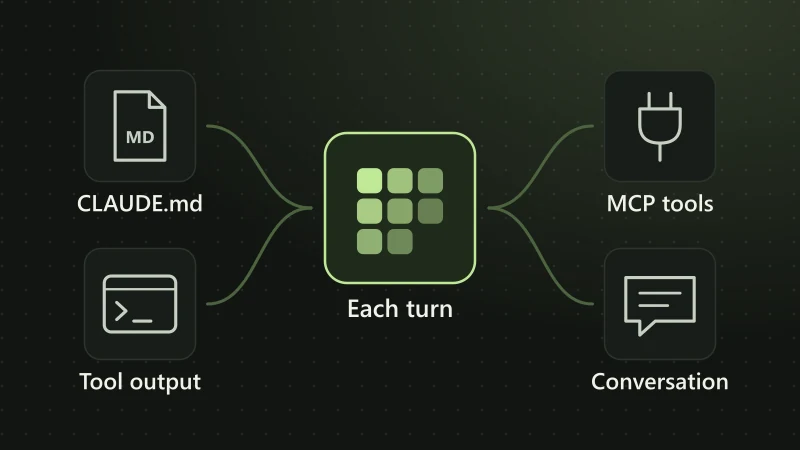
A large result costs more than once. Claude Code “sends your full conversation with every request” (costs docs), so a long page of JSON returned early in a session is read again on every turn after it, until you clear or compact the conversation. A server that returns whole documents, long issue lists or full database rows can use more of your plan than everything it loads at startup.
Three habits keep results small:
- Ask for less. Name the fields, the date range or the page you need, so the tool returns a slice instead of everything.
- Prefer a CLI when there is one. Anthropic notes that tools such as
ghandaws“are still more context-efficient than MCP servers” (costs docs). - Start a new session for a new task, so old results stop being resent.
/cleardoes this in place.
How to check what your MCP servers use
Claude Code has three built-in views (commands):
/contextshows the current context as a coloured grid, with suggestions for context-heavy tools./context allshows how many tokens each loaded MCP tool uses (features overview). Deferred tools are marked as such./mcplists your servers with the tool count next to each connected one, and lets you reconnect, enable or disable them./usage, on a Pro or Max plan, breaks your usage down, including usage attributed to individual MCP servers (costs docs).
Run /context at the start of a session to see your fixed cost, and again after a few tool calls to see what the results added.
How to cut MCP context use in Claude Code
Start with servers you don’t use in this project. Turn one off without losing its configuration:
/mcp disable "server-name"Claude Code remembers this per project, so the server stays available everywhere else. /mcp enable "server-name" brings it back.
To remove a server completely, use claude mcp remove with its scope (MCP docs):
claude mcp remove server-name --scope userLocal scope is the default, stored in ~/.claude.json with user-scope servers. Project servers live in the repository’s .mcp.json. For a server a project’s .mcp.json offers that you never want, list it under disabledMcpjsonServers in your settings, and Claude Code never connects to it or asks you to approve it (settings).
Then check the settings that load everything up front:
- Leave
ENABLE_TOOL_SEARCHunset unless you have a reason to change it. - Keep
alwaysLoad: truefor the one or two servers you use in nearly every turn, if any. - Lower
MAX_MCP_OUTPUT_TOKENSif a server’s results are routinely large and you rarely need all of them.
The same controls in Codex
Codex configures MCP servers in config.toml, one [mcp_servers.<name>] table each (Codex MCP docs). The settings that matter for context (configuration reference):
| Setting | What it does |
|---|---|
enabled = false | Turns a server off without deleting its configuration |
enabled_tools = [...] | An allow list: only these tools from the server |
disabled_tools = [...] | A deny list, applied after enabled_tools |
tools.<tool>.output_token_limit | A token budget for one tool’s output |
A server with many tools you never call is a good candidate for enabled_tools.
How TokenNibbler shows what each MCP server costs you
/context shows one session. TokenNibbler, a desktop app for Windows 11 and Mac, shows every MCP server and app across all your Claude Code and Codex sessions, and which ones are worth their place.
See every connection. The Connections page lists each MCP server and app Claude Code and Codex can reach, with the tokens it adds to every Claude Code session, its calls, its tool output in tokens, and the projects it is used in. Servers that are loaded but never called carry a Not used badge, and the Loaded, never used tile counts them. Token figures are estimates, marked with a ”~”.
Open a server to see where its tokens go, which projects load it without using it, its largest results, and how many tokens each tool’s definition adds when Claude Code loads it.
Get the fix. On Pro, each server gets recommendations with the command to run, such as /mcp disable "server-name" for a project that loads it but never calls it, and an estimate of the tokens each change saves. Choose Copy and paste it into Claude Code. TokenNibbler never changes your MCP setup itself.
Shorten what tools return. With MCP tool results (Claude Code) on in Settings › Optimiser, TokenNibbler shortens JSON results from MCP servers before Claude reads them. Each change is lossless (compact JSON, records written as tables, nothing removed) or recoverable (the full original saved, with its path in the result). Images, errors and results Claude Code already saved to a file are left as they are. It is on by default, on every plan.
Quick checklist
- Run
/contextat the start of a session and note what MCP tools take. - Keep tool search on:
ENABLE_TOOL_SEARCHunset, andalwaysLoadonly where you need it. /mcp disableservers you don’t use in this project;claude mcp removeones you don’t use anywhere.- Ask tools for slices, not everything, and prefer a CLI where one exists.
- Start a new session for a new task, so old results stop being resent.
- In Codex, use
enabled = falseandenabled_toolsinconfig.toml.
MCP behaviour changes between Claude Code versions, so check the MCP docs for the current details at the time of writing (October 2026). For a wider look at where your usage goes, see how to reduce Claude Code token usage, or download TokenNibbler for 14 days of Pro, free.
Sources
- Claude Code docs, Connect Claude Code to tools via MCP checked 24 October 2026
- Claude Code docs, Manage costs effectively checked 24 October 2026
- Claude Code docs, Extend Claude Code checked 24 October 2026
- Claude Code docs, Commands checked 24 October 2026
- Claude Code docs, Extend Claude with skills checked 24 October 2026
- Claude Code docs, All settings checked 24 October 2026
- Claude Help Center, How do usage and length limits work? checked 24 October 2026
- OpenAI Codex docs, Model Context Protocol checked 24 October 2026
- OpenAI Codex docs, Configuration Reference checked 24 October 2026
Limits and plans change. This post describes them as of 24 October 2026, and is re-checked when Anthropic or OpenAI change them.
Asif Syed is the founder of TokenNibbler, the desktop app that shows developers where their Claude Code and Codex usage goes and how to make their plans last. Every post here is checked against the app’s code and the official Anthropic and OpenAI documentation before it is published.