Claude Code analytics for teams: how to track Claude Code usage across a team
Claude Code analytics for teams on Claude Team, Enterprise, the API, or each developer's own Pro or Max plan, and how to see limits and plan fit per person.
 By Asif Syed, Founder of TokenNibbler
On this page
Short answer: How you track Claude Code usage across a team depends on how the team pays. On Claude Team or Enterprise, Anthropic’s analytics dashboard and spend report cover adoption, contribution and spend per user. API-billed teams use the Claude Console dashboard and workspace limits. If each developer has their own Pro or Max plan, there is no organisation view at all, and a tool like TokenNibbler Team gives the manager limits, plan fit and usage per person from the plans they already have.
Most managers ask the same three questions: who is hitting their limits, is each person on the right plan, and where is the usage going? Developers ask one more: what exactly can my manager see? This guide covers what Anthropic offers for each setup, at the time of writing (October 2026), and what to use when your team is on individual plans.
Your options depend on how the team pays
Anthropic’s costs page maps each setup to where you see spend and pull per-user numbers:
| How the team uses Claude Code | Where you see usage | Per-user reporting |
|---|---|---|
| Claude Team or Enterprise | Claude Code analytics and the spend report in the claude.ai admin console | Spend report CSV; the Enterprise Analytics API on Enterprise |
| Claude Console (API) | The Console usage page and Claude Code dashboard | Console dashboard; the Claude Code Analytics API |
| Amazon Bedrock, Google Cloud or Microsoft Foundry | Your cloud billing console | OpenTelemetry or an LLM gateway |
| Each developer on their own Pro or Max plan | Each person’s own /usage | None: “you have no organization to manage” |
The rest of this guide takes each in turn.
Claude Code analytics on Team and Enterprise
If your organisation is on Claude Team or Enterprise, Anthropic’s own analytics are built in. The dashboard at claude.ai/analytics/claude-code includes (analytics docs):
- Usage metrics: lines of code accepted, suggestion accept rate, daily active users and sessions.
- Contribution metrics: pull requests and lines of code shipped with Claude Code’s help, once a GitHub admin installs the Claude GitHub app. These are in public beta.
- Leaderboard: the top contributors by Claude Code usage.
- Data export: contribution data as CSV.
For tokens and cost per person, the spend report gives “per-user, per-model visibility into token usage and estimated spend”, refreshed daily with a one-day delay, and exports as CSV for up to the last 90 days. On Enterprise, the Enterprise Analytics API returns the same kind of per-user reports programmatically.
Two details are worth knowing before you rely on it:
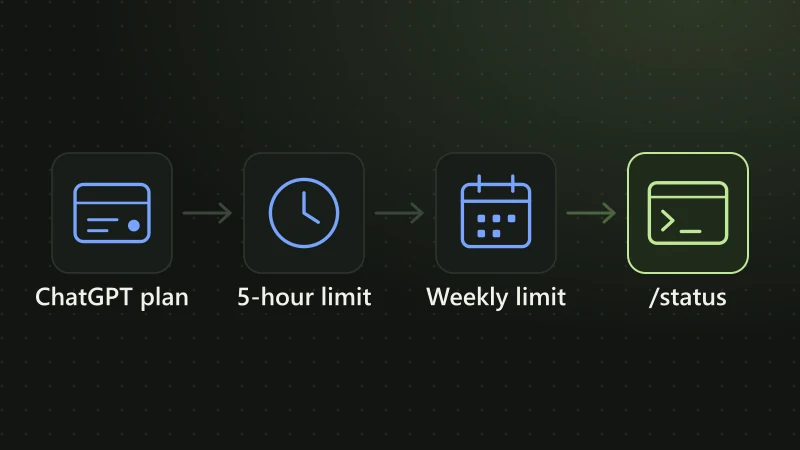
- Spend means usage credits. Each member’s Claude Code use draws from a per-seat allowance that resets on a rolling five-hour window and a weekly window. The costs page says “usage inside the seat allowance isn’t metered in dollars”; the spend report covers spend on usage credits.
- Access is for owners and admins. Owners and Admins can open the Claude Code dashboard; the help centre lists which roles see the spend report on each plan.
These reports cover adoption, contribution and usage-credit spend. For the day-to-day question of who is close to a limit, TokenNibbler Team adds each person’s 5-hour and weekly limits and Plan fit, as long as each developer uses their own account.
Teams billed through the API
API organisations manage Claude Code through Console workspaces. The Console dashboard shows lines of code accepted, suggestion accept rate, daily active users and sessions, and daily spend. Its team insights table lists each member’s spend and accepted lines for the current month (analytics docs). You can set workspace spend limits, and the Claude Code Analytics API returns the same daily per-user metrics with an Admin API key.
On any setup, you can also export metrics with OpenTelemetry: per-user token counts, cost, sessions and tool activity, sent to your own observability stack. Prompt text is redacted by default; logging it needs OTEL_LOG_USER_PROMPTS=1 (monitoring docs). It is flexible, and you build and run the dashboards yourself.
Teams where each developer has their own Pro or Max plan
Many small teams don’t buy seats at all. Each developer has their own Claude Pro or Max plan, and the company reimburses it or simply lets people use what they have.
Here Anthropic’s costs page is direct: “On an individual Pro or Max plan you have no organization to manage.” Each developer can run /usage to see their own plan limits and a breakdown of recent usage by skill, subagent, plugin and MCP server. That breakdown is computed “from local session history on this machine”, for the last 24 hours or 7 days, and there is no way to see it for the team in one place.
The limits also cover more than Claude Code. On Pro and Max, “all activity in both tools counts against the same limits”, Claude chat and Claude Code alike, with a five-hour session limit and a weekly limit (help centre).
What a manager actually needs
Lines of code and leaderboards answer “is this worth it?”. Day to day, a manager of a small team usually needs something simpler:
| Question | Why it matters |
|---|---|
| Who is hitting their 5-hour or weekly limit, and how often? | A developer locked out mid-afternoon is lost time |
| Is each person on the right plan? | Some need a larger plan; some pay for more than they use |
| Where is the usage going: which models, which days? | It shows whether a fix is a habit, a setting or a plan |
| Did a change help? | So the next recommendation is based on results |
What developers worry about
Developers worry about one thing above all: surveillance. Will the manager read my prompts? See my code? Judge me by token counts? Any team tool has to answer that clearly before anyone installs it. The good options share three traits: totals by default, anything more only with consent, and a record of who looked.
How TokenNibbler Team works
TokenNibbler is a desktop app for Windows 11 and Mac that shows your Claude and ChatGPT limits live, where your usage goes, and what to fix. Team adds a page for the manager, built from what each member’s TokenNibbler shares.
It works with the plans your developers already have. No need for Claude Team or Enterprise: TokenNibbler Team works with the plans your developers already have, as long as each developer uses their own account. It covers Claude Code and Codex.
The manager’s view. The Team page shows who reaches their 5-hour or weekly limits, Plan fit for each person with Plan suggestions (advice only: each person changes their own plan), and tokens by day and model.
What is shared by default. By default your manager sees usage totals: tokens by day and model, plan use and limit hits, Plan fit, savings, which accounts you used and when (last 7 days), and which team library items you added.
Everything else needs acceptance. Anything more, such as project names or prompts, stays off unless your manager asks for it with a stated purpose and you accept it. You see a sample first, and you can stop sharing at any time.
Sealed, and logged. What you share is sealed so only you and your manager can read it. Every time your manager opens your details, it is logged for you under When your manager viewed your data.
Price. Team is $10 per member a month, or $96 per member a year, from 3 members. Every member gets everything in Pro. You can start a free 14-day team trial to try it with your developers first: everyone you invite joins free.
See TokenNibbler for teams, what is shared, and how to set up a team or join one.
Which option fits your team
- On Claude Team or Enterprise: Anthropic’s Claude Code analytics and spend report cover adoption, contribution and usage-credit spend. TokenNibbler Team adds each person’s 5-hour and weekly limits and Plan fit.
- Billed through the API: use the Console dashboard, workspace spend limits and the Claude Code Analytics API.
- On individual Pro or Max plans: there is no organisation view to switch on, so a tool that reads each person’s limits from their own computer is the practical route. That is what TokenNibbler Team does.
- Want limits and plan fit per person on any of these? TokenNibbler Team works alongside them, as long as each developer uses their own account.
Plans, limits and dashboards change, so check Anthropic’s analytics docs for current details. For TokenNibbler, see pricing or download it and start a team trial.
Sources
- Claude Code docs, Track team usage with analytics checked 15 October 2026
- Claude Code docs, Manage costs effectively checked 15 October 2026
- Claude Code docs, Monitoring usage with OpenTelemetry checked 15 October 2026
- Claude Help Center, View usage analytics for Team and Enterprise plans checked 15 October 2026
- Claude Help Center, Use Claude Code with your Pro or Max plan checked 15 October 2026
Limits and plans change. This post describes them as of 15 October 2026, and is re-checked when Anthropic or OpenAI change them.
Asif Syed is the founder of TokenNibbler, the desktop app that shows developers where their Claude Code and Codex usage goes and how to make their plans last. Every post here is checked against the app’s code and the official Anthropic and OpenAI documentation before it is published.